The Evolution of Intelligent Operational Monitoring
The shift from traditional business intelligence to AI-driven live monitoring represents a fundamental change in how organizations handle information. In the past, a dashboard was simply a visual representation of a database query. Today, an intelligent dashboard is a living entity that utilizes machine learning (ML) to distinguish between normal fluctuations and genuine anomalies.
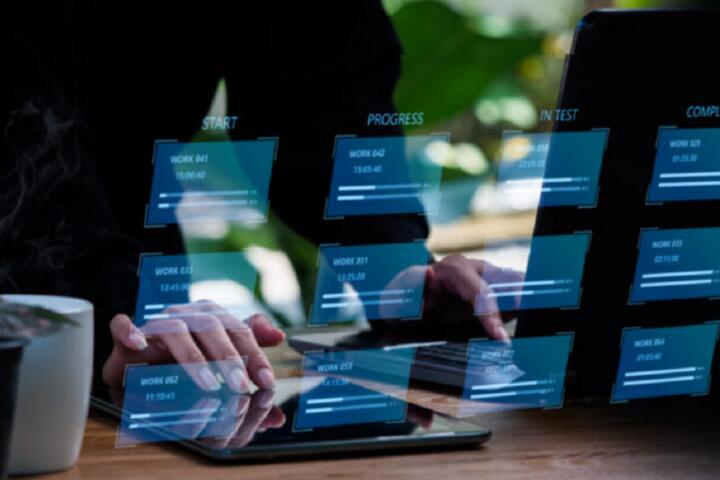
Consider a global logistics provider managing a fleet of 5,000 vehicles. A traditional dashboard shows fuel consumption and current locations. An AI-powered version integrates live weather patterns, traffic density from APIs like Google Maps Platform, and historical engine performance data to predict delivery delays before they happen. It doesn’t just show a red light; it suggests an alternative route to maintain the SLA.
According to recent industry benchmarks, companies utilizing automated monitoring see a 30% reduction in Mean Time to Detect (MTTD) incidents. For instance, Datadog uses Watchdog, an AI engine that automatically surfaces outliers without manual threshold setting. This move from "threshold-based" to "baseline-based" monitoring is the cornerstone of the modern tech stack.
Critical Failures in Current Reporting Workflows
The most prevalent mistake in performance monitoring is the "Dashboard Graveyard" syndrome. Organizations build complex visualizations that nobody looks at because they suffer from high noise-to-signal ratios. When an alert triggers for every minor spike, "alert fatigue" sets in, leading DevOps and SRE teams to ignore critical warnings.
Another significant pain point is data fragmentation. Large enterprises often use Splunk for logs, New Relic for application performance, and Tableau for business KPIs. These silos prevent the AI from seeing the full picture. If sales are dropping, is it a marketing issue or a 500-error on the checkout page? Without a unified AI layer, finding the root cause requires hours of manual cross-referencing.
The financial consequences are staggering. In high-frequency environments, a 10-minute outage can result in millions of dollars in lost revenue. If your monitoring system relies on human eyes to spot a trend in a sea of charts, you are already too late. Relying on static thresholds (e.g., "Alert me if CPU > 80%") is fundamentally flawed because it doesn't account for seasonal peaks where 90% might be perfectly normal.
Practical Strategies for Implementing Live AI Analytics
To transition to a proactive stance, you must move beyond simple visualization. Start by implementing Anomaly Detection algorithms. Unlike fixed rules, these models learn the "pulse" of your business. If your web traffic usually triples at 6:00 PM on Fridays, the AI won't panic; however, if traffic stays flat, it will trigger an alert for a potential DNS issue.
Predictive Forecasting is the next logical step. Tools like Amazon QuickSight use built-in ML to identify trends and seasonality. For a retail manager, this means the dashboard doesn't just show current inventory—it predicts a stockout of a specific SKU three days in advance based on current velocity and external market signals. This allows for automated reordering, effectively closing the loop between insight and action.
Integrate Natural Language Querying (NLQ) to democratize data. By using services like ThoughtSpot, non-technical executives can ask, "Why did our churn rate increase in the Midwest last week?" The AI parses the underlying data, generates the relevant chart, and highlights the contributing factors (e.g., a competitor's localized promotion or a regional shipping delay).
On the technical side, leverage Stream Processing Frameworks. Using Apache Kafka or Amazon Kinesis, you can feed live data streams directly into ML models. This ensures your "live" dashboard is actually operating with sub-second latency, rather than refreshing every 15 minutes. High-performing teams are now using Grafana with AI plugins to overlay predicted performance bands against real-time data, making deviations immediately obvious.
Operational Case Studies
Case Study 1: Financial Services Sector
A mid-sized fintech firm struggled with detecting fraudulent transactions in real-time. Their previous system relied on static rules that flagged 5% of legitimate transactions as "high risk," causing customer frustration. They implemented an AI layer using H2O.ai integrated with their live transaction dashboard. The model analyzed 200+ variables per transaction, including geolocation shifts and typing cadence.
-
Result: Fraud detection accuracy increased by 45%, and false positives dropped by 60% within the first quarter, saving an estimated $1.2 million in operational overhead.
Case Study 2: Manufacturing and IIoT
A heavy machinery manufacturer integrated AI-powered dashboards into their production line to monitor equipment health. They used Azure IoT Hub to stream vibration and temperature data. The AI identified a specific harmonic pattern that preceded bearing failure.
-
Result: The company shifted from reactive repairs to predictive maintenance, reducing unplanned downtime by 22% and extending the lifespan of critical assets by an average of 18 months.
Intelligent Monitoring Tech Comparison
| Feature | Standard Dashboards | AI-Powered Dashboards |
| Data Interpretation | Manual analysis required | Automated insight generation |
| Alerting Logic | Static thresholds (e.g., >90%) | Dynamic baselining & anomalies |
| Root Cause Analysis | Human-led investigation | Automated correlation & topology |
| Future Outlook | Historical view only | Predictive forecasting (What's next?) |
| User Interaction | Point-and-click filters | Natural Language Search (NLQ) |
| Scalability | Becomes cluttered with more data | Handles high-dimensionality easily |
Frequent Pitfalls and Strategic Corrections
One major trap is the "Black Box" problem. If your AI dashboard tells a manager to stop a production line but doesn't explain why, the manager will likely override it. Always use Explainable AI (XAI) features. Ensure your dashboard includes a "Reasoning" or "Contribution Factors" widget that breaks down which variables led to a specific prediction.
Over-engineering the data pipeline is another common error. You don't need to stream every single log line into an AI model. This creates unnecessary cloud costs and latency. Instead, use "Edge Intelligence" to pre-process data. Only send aggregated metrics or significant deviations to your central AI dashboard. This keeps your system lean and responsive.
Finally, ignore data quality at your peril. AI is only as good as its training set. If your underlying database has "dirty" data—duplicates, null values, or incorrect timestamps—your real-time dashboard will provide "real-time garbage." Implement automated data validation checks at the ingestion layer using tools like Great Expectations to ensure the integrity of your live insights.
FAQ
How does AI reduce alert fatigue in monitoring?
AI uses clustering and correlation to group related events into a single "incident." Instead of receiving 500 alerts for a single server failure, the team receives one alert that identifies the root cause and lists the impacted services.
Can these dashboards work with legacy on-premise systems?
Yes. Modern observability platforms use "collectors" or "agents" that can be installed on legacy servers. These agents send data to a centralized AI engine (often in the cloud) for processing and visualization.
Is it expensive to implement AI-driven monitoring?
While there is an initial setup cost, the ROI typically comes from reducing downtime and optimizing labor. Many platforms, like Elastic Stack, offer tiered pricing based on data volume, making it accessible for smaller operations.
What is the difference between Observability and Monitoring?
Monitoring tells you when something is wrong based on predefined metrics. Observability uses AI to help you understand why something is wrong by looking at the internal state of the system through logs, traces, and metrics.
Does AI replace the need for data analysts?
No. It shifts their role from "data cleaners and chart builders" to "strategic interpreters." AI handles the repetitive task of spotting patterns, allowing humans to focus on high-level strategy and complex problem-solving.
Author's Insight
In my years of architecting data systems, I’ve found that the most successful "intelligent" dashboards are those that prioritize simplicity over density. The temptation to show off every capability of an ML model often leads to a UI that is impossible to navigate. My best advice: build your dashboard around three key questions: What is happening now? Why is it happening? What is likely to happen next? If a widget doesn't help answer one of those, remove it. True expertise is shown in the ability to filter out the noise, not in the ability to display it all.
Conclusion
The transition to AI-powered real-time performance dashboards is no longer a luxury for tech giants; it is a necessity for any organization operating in a high-velocity environment. By moving away from static thresholds and embracing dynamic baselining, predictive forecasting, and automated root-cause analysis, businesses can transform their data from a historical record into a strategic compass. To start, audit your current monitoring stack for "dead" dashboards and identify one high-impact KPI where predictive insights could prevent a recurring bottleneck. Actionable intelligence starts with the decision to stop looking back and start looking forward.